The AI personal assistant for iPhone, iPad and Apple Watch Less on
your mind.

Tell Sammy what you need to remember. Sammy keeps track, reminds you at the right moment and helps get it done, so you spend less time on your phone and more time living.

Free to join. We’ll email your invite and the occasional update. Unsubscribe any time.

A screen recording of Sammy. Someone types: call the plumber tomorrow at 9, renew car rego by Friday and book Max in at the vet. Sammy adds all three to their to-do list. They ask what’s on their list, Sammy shows the three to-dos, and they tick off the vet.

Your head is full of open loops.

Each one is small. Together, they follow you everywhere.

Sammy’s list

Sammy sorts them, so you don’t have to.

Home

  • Call the plumber , tomorrow at 9am
  • Renew the car rego , Friday
  • Book Max in at the vet , Wednesday
  • Bins out , Tuesday night

Family

  • Mum’s birthday present , by Saturday
  • School photo forms , Thursday
  • Dentist for the kids , later
  • Swimming lessons , Thursday at 4pm

Work

  • Reply to the accountant , today
  • Contract back to Priya , Friday at 3pm
  • Prep for Monday’s meeting , Monday at 8am
  • Book flights to Sydney , later

Errands

  • Milk, bread and eggs , today
  • Pick up the dry cleaning , Thursday
  • Library books back , later
  • Parcel at the post office , Saturday
How Sammy works

A chatbot waits for you to ask. Sammy comes back to you.

  1. 1

    Tell Sammy anything, any way

    Type it, say it, or speak to your watch. Messy is fine.

  2. 2

    Sammy remembers and sorts it

    To-dos, reminders, the shopping list, and the people and dates that matter.

  3. 3

    Sammy follows up at the right moment

    Tick it off from the lock screen, then put the phone back in your pocket.

Join the waitlist

A day with Sammy

Quietly useful, all day long.

Swipe through a day with Sammy.

  • 7:00 am

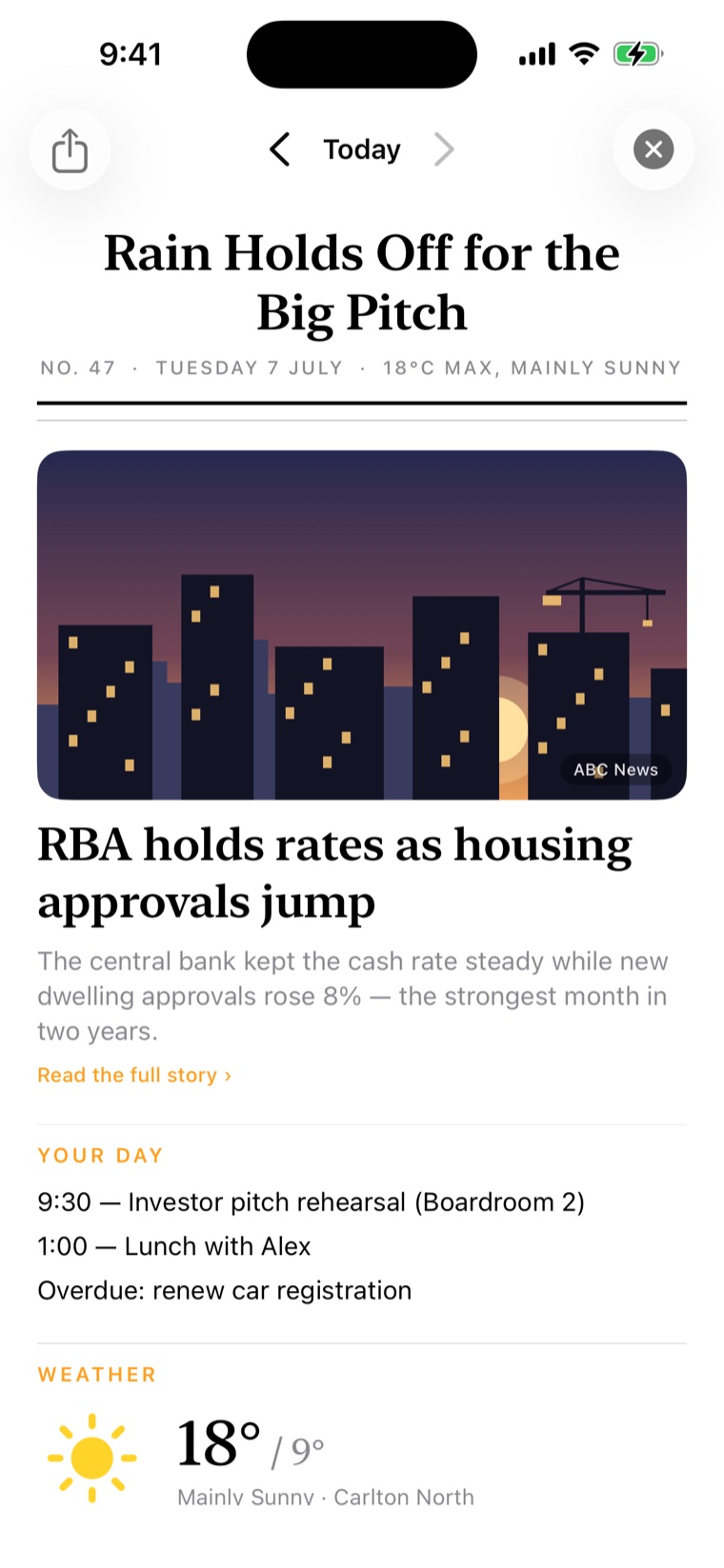
    Your paper, printed.

    A two-minute briefing of your day: your topics, your calendar, your weather. Read it, then go live it.

    Sammy’s Daily Briefing: a newspaper-style front page headlined Contract Day, Dry Till Three, leading with a photo of a misty temple path for a travel story, Kyoto before the crowds, then Leo’s day
  • 8:10 am

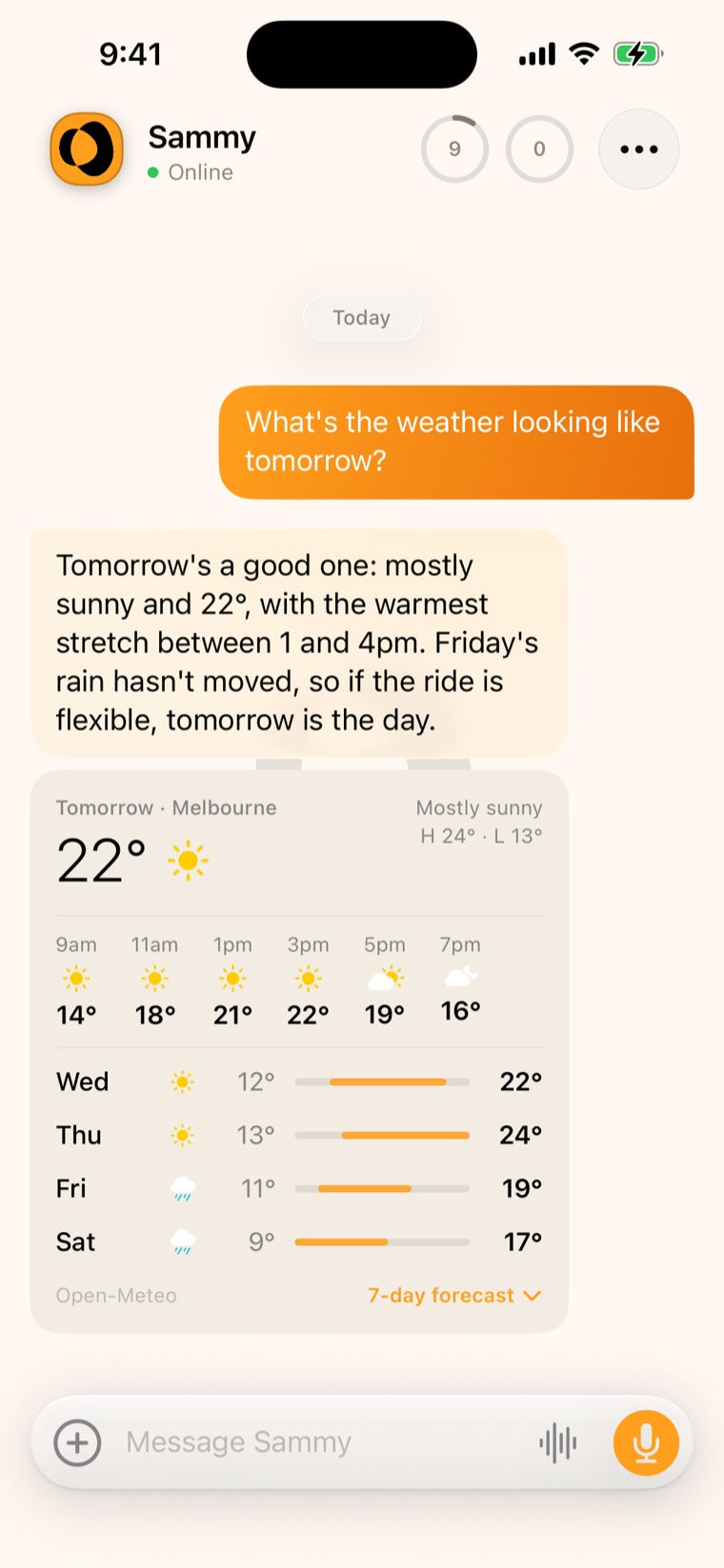
    The forecast, before the walk.

    Ask like you’d text a mate. A straight answer, with the real numbers underneath.

    A chat with Sammy: what’s the weather like this morning for walking Max, answered with today’s forecast for Melbourne and a note that the showers hold off until mid-afternoon
  • 2:30 pm

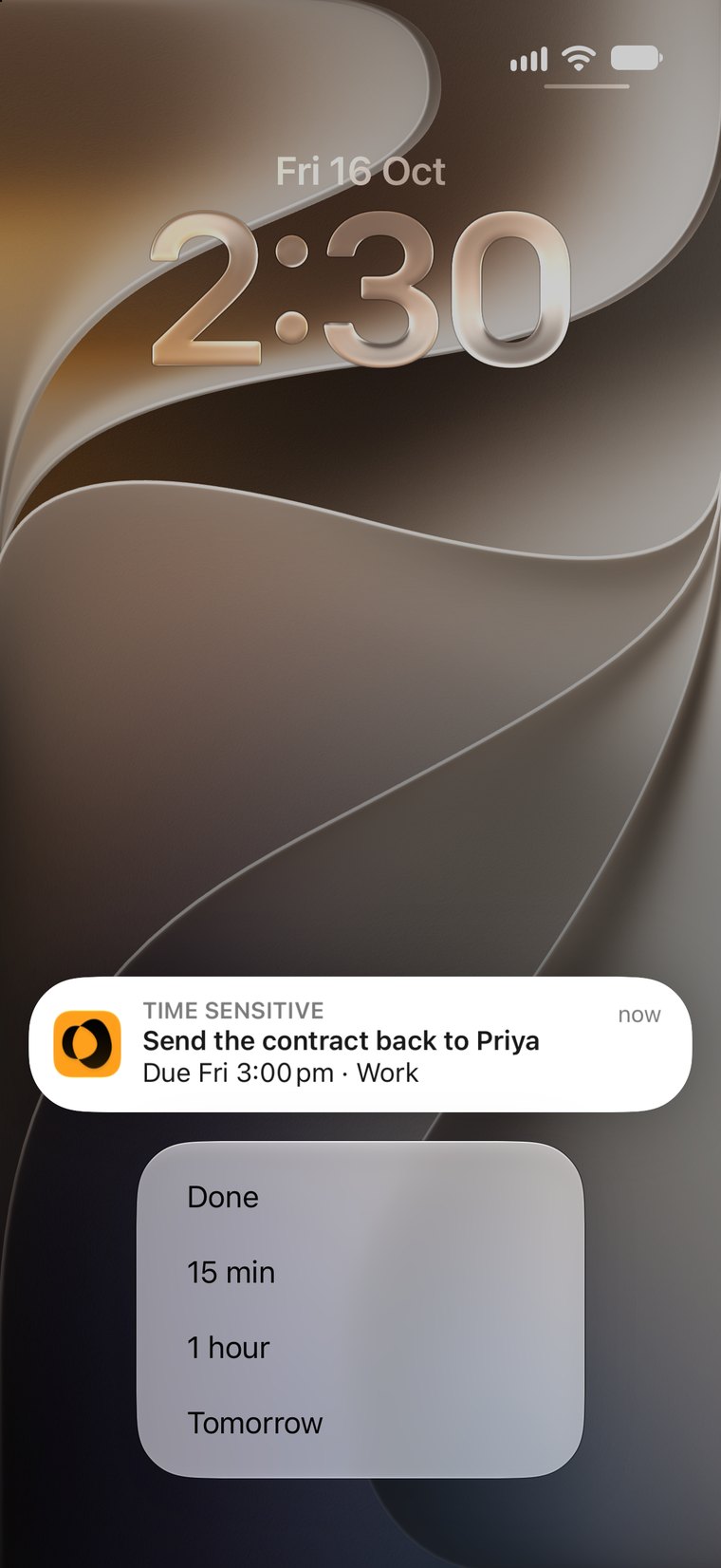
    Done, or push it back.

    The reminder lands on your lock screen. Hold it to tick it off or snooze it, without opening a thing.

    A Sammy reminder on the lock screen, Send the contract back to Priya, held open to show Done, 15 min, 1 hour and Tomorrow
  • 5:30 pm

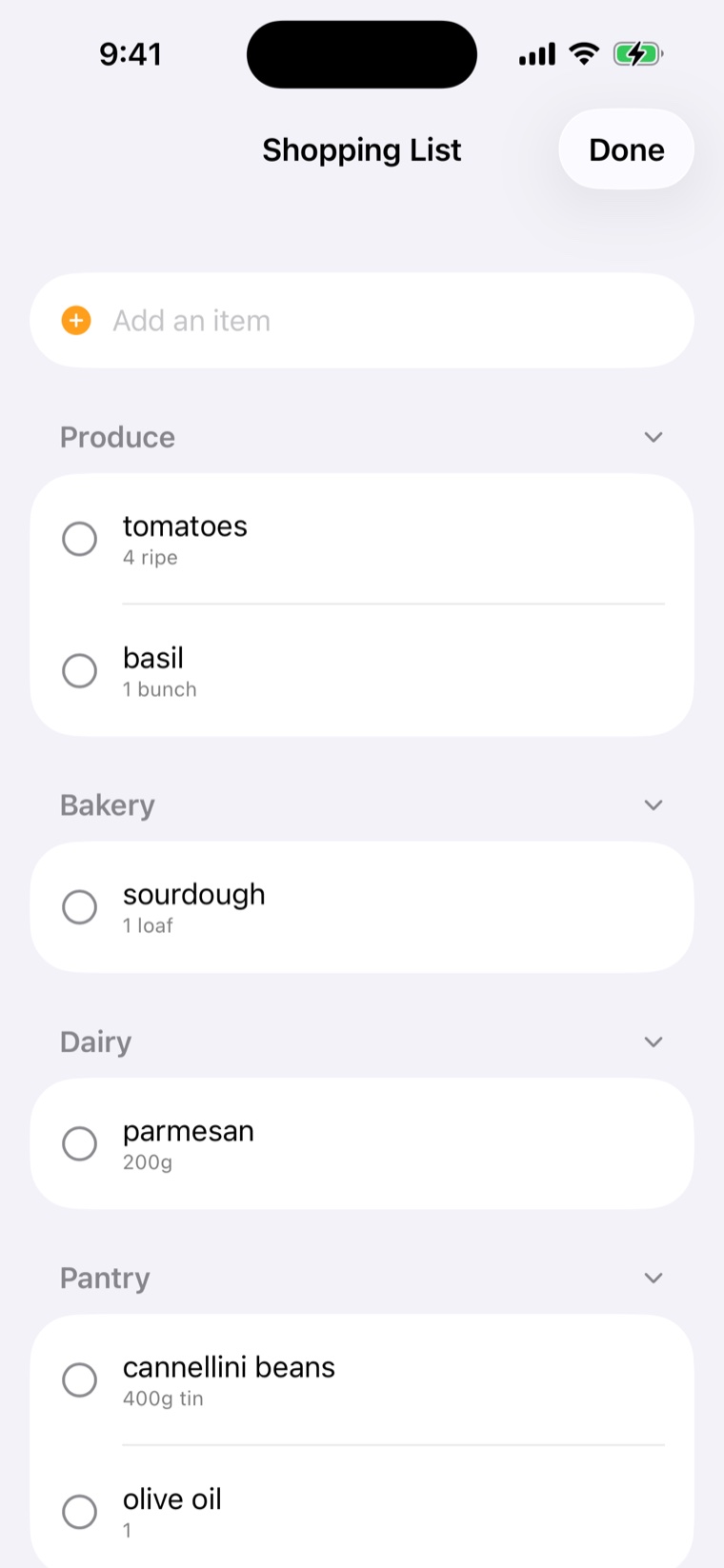
    The list, in aisle order.

    Tick things off as you shop. Sammy remembers your staples and what’s already in the trolley.

    Sammy’s shopping list grouped by aisle, with a Finish shop button showing 2 in the trolley
  • 6:15 pm

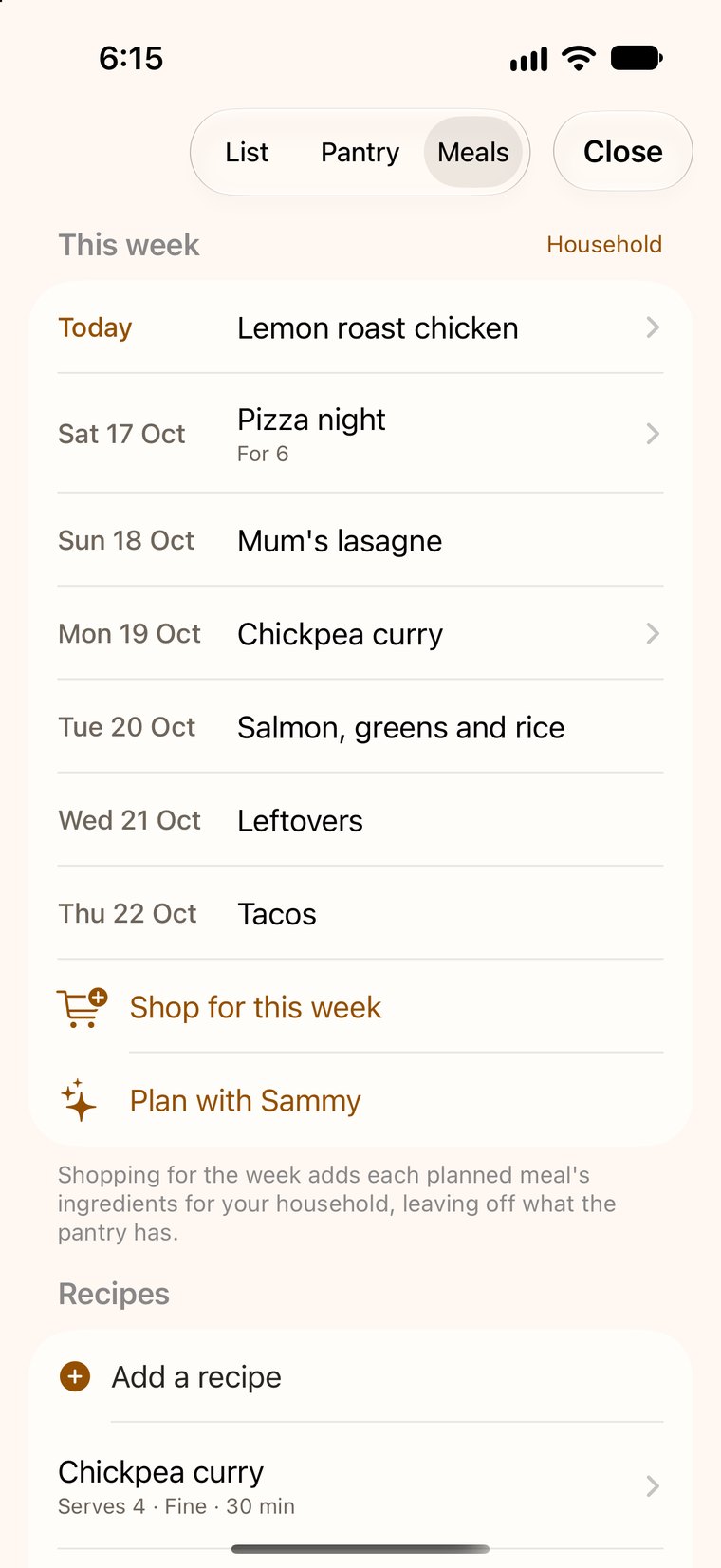
    Dinner, sorted for the week.

    Tonight’s lemon roast chicken, then the rest of the week. One tap puts every ingredient on the list.

    Sammy’s meal plan for the week, starting with lemon roast chicken tonight, with Shop for this week and Plan with Sammy
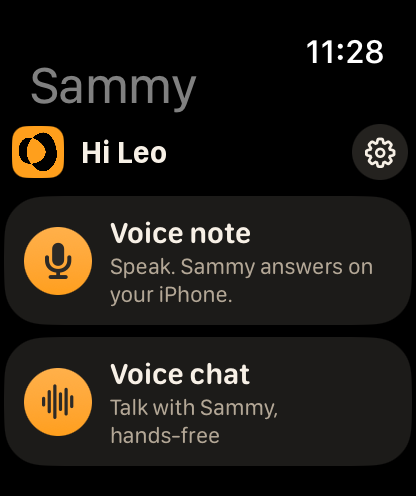
On your Apple Watch

Catch it while it’s on your mind.

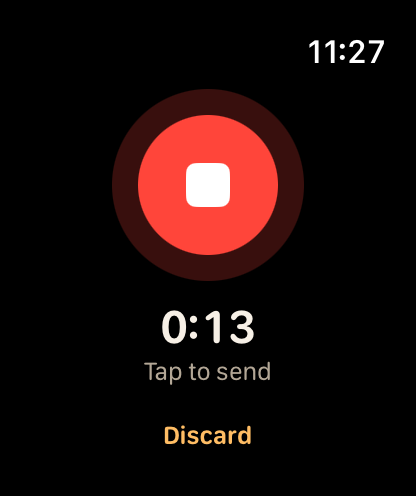
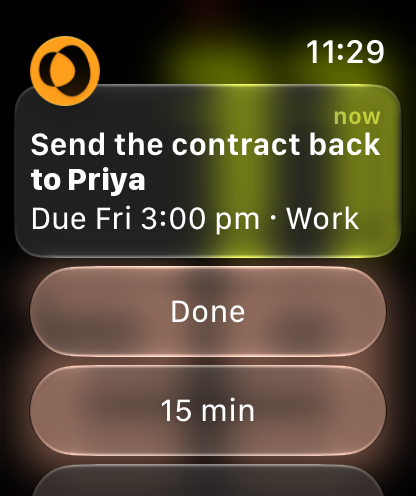
Leave a voice note from your wrist before the thought slips away, and pick it up with Sammy on your iPhone. Reminders reach your wrist too, with buttons to tick things off right there.

  • Voice notes from your wrist, on every plan.
  • Voice chat with Sammy on Core and Premium, even with your iPhone in your pocket.
  • Reminders and check-ins with buttons to finish or snooze.
Sammy on Apple Watch, with Voice note and Voice chat buttons
Open Sammy
Recording a voice note on Apple Watch, with Tap to send and Discard
Say it
A Sammy reminder on Apple Watch: Send the contract back to Priya, with Done and 15 min buttons
Tick it off
When it counts

Bigger help, when you need it.

The everyday things come first. When something bigger comes up, Sammy has more to give.

Appointment Mode

Record the appointment, tick the agenda as it’s covered, and get the transcript and a summary after.
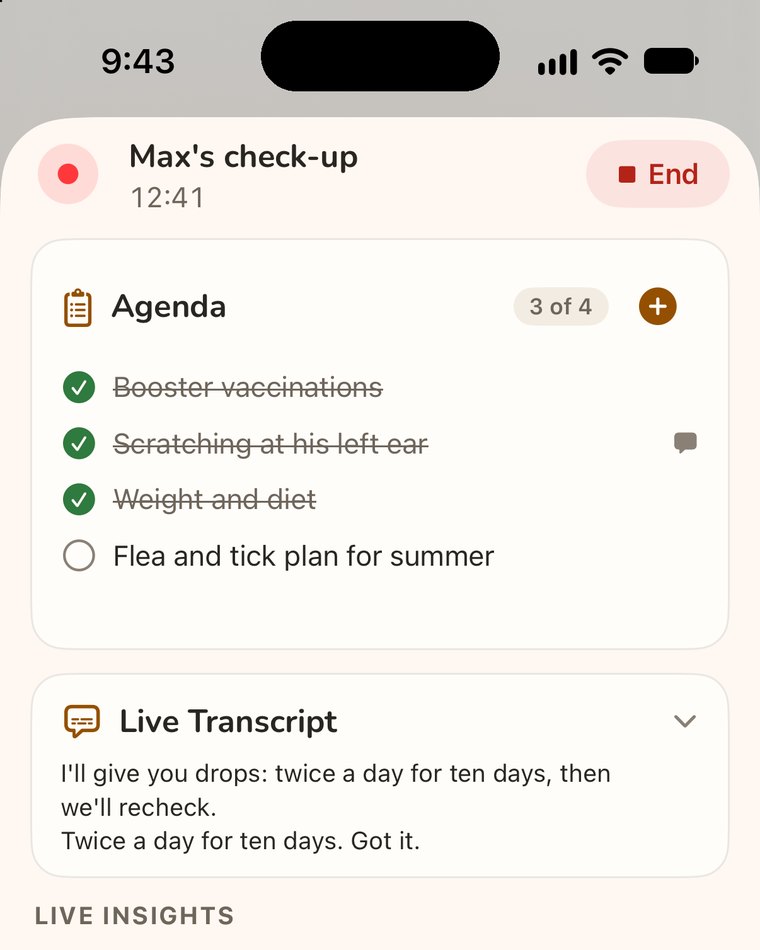
Appointment Mode recording Max’s check-up: an agenda with three of four items ticked off, and a live transcript

Ask a SpecialistPremium

For the big stuff, Sammy calls in a specialist running on Anthropic’s Claude Sonnet 5.5. It thinks the problem through, then reports back. You decide what happens next.
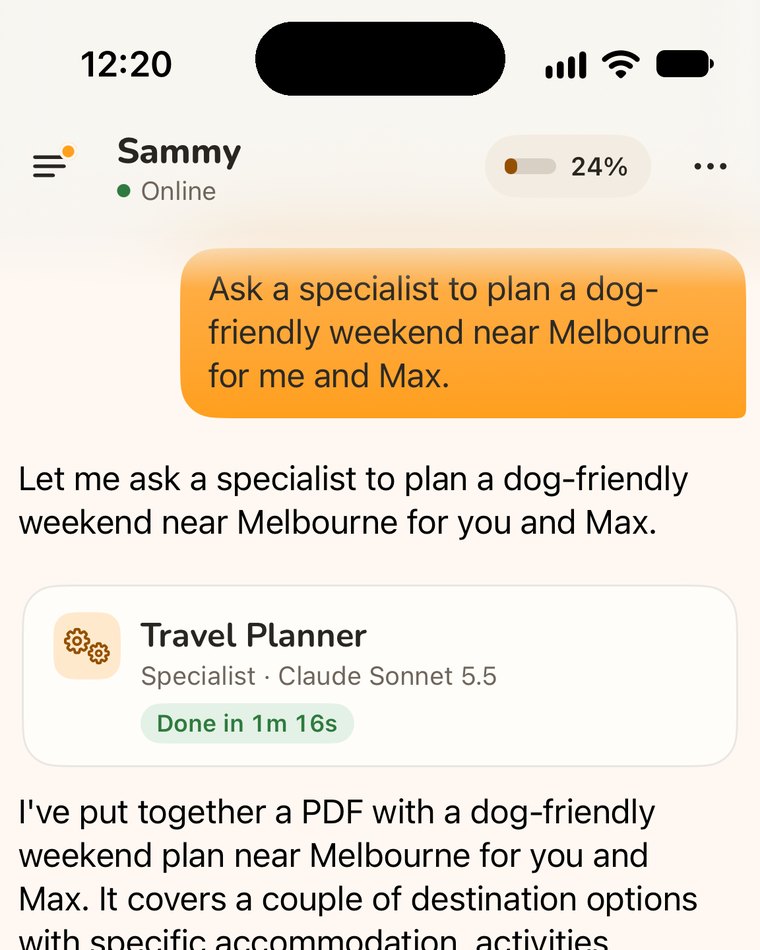
Sammy asks a Travel Planner specialist to plan a dog-friendly weekend near Melbourne for Leo and Max; it’s done in 1 minute 16 seconds, with a PDF plan

Email monitoring

Sammy watches your inbox so you don’t have to, and only taps you on the shoulder for what genuinely matters.
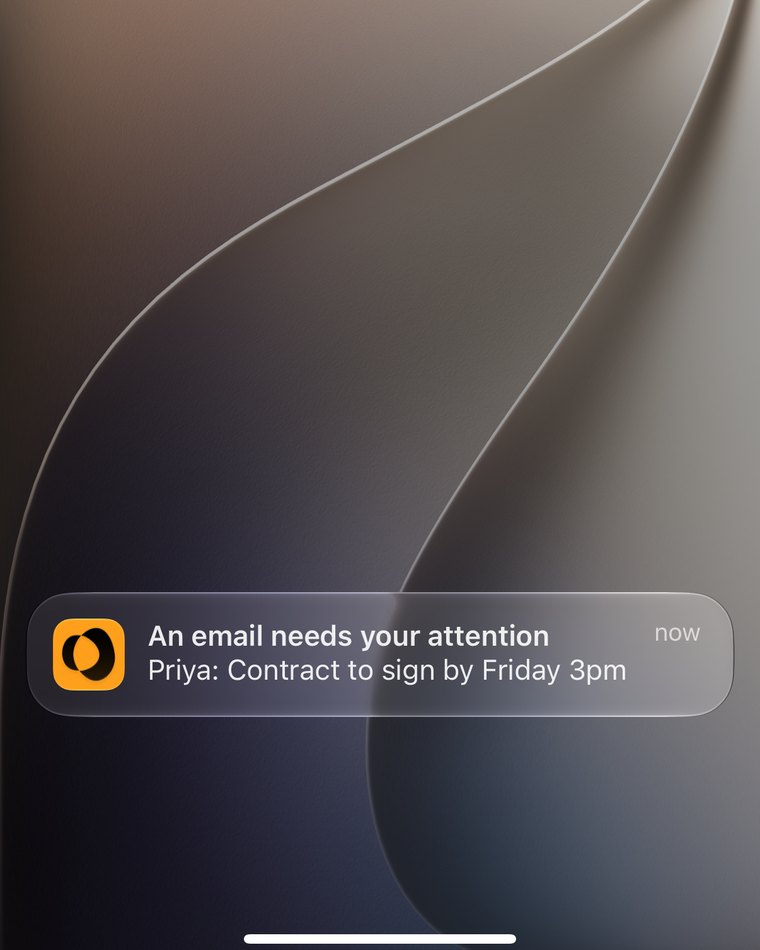
A Sammy notification on the lock screen: An email needs your attention. Priya: Contract to sign by Friday 3pm

Voice chatCore and Premium

Talk it through out loud. Sammy answers in voice, keeps going with the screen locked, shows live captions, and talks at the speed you choose. Start it from Siri or the Action button.
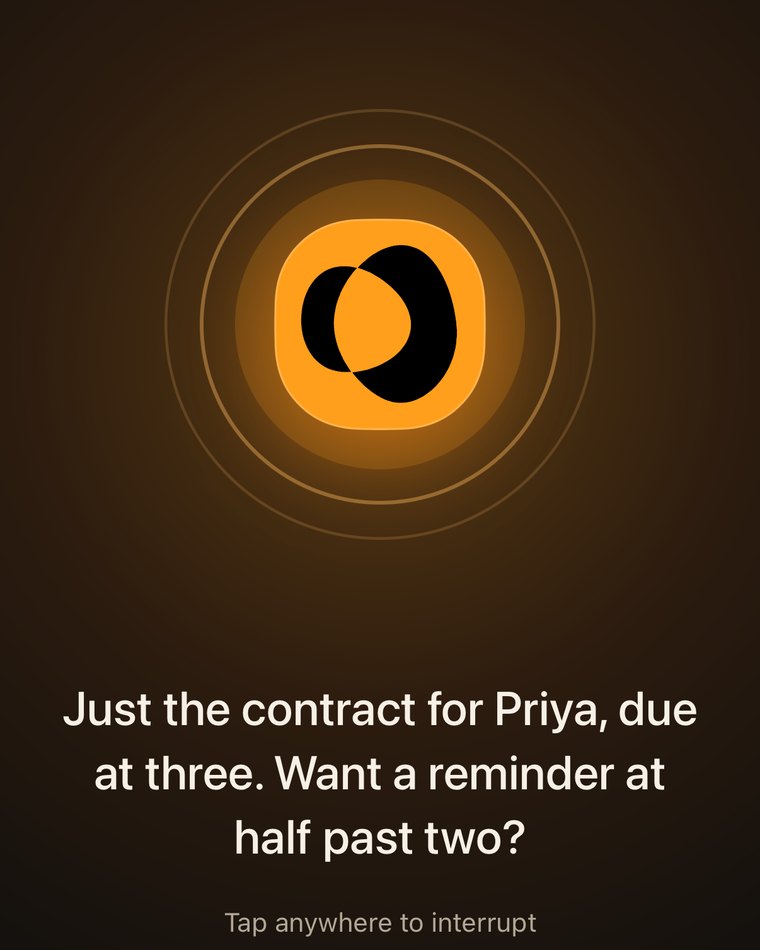
Voice chat with Sammy, captioned: Just the contract for Priya, due at three. Want a reminder at half past two?
Private by design

Your life stays yours.

  • Your conversations live on your phone, not on our servers.
  • Sammy asks before anything goes to Sammy Cloud, and you can switch it off any time.
  • An on-device AI model that generates replies completely on your phone.
  • We don’t sell your data, and the cloud only gets what it needs to answer.
  • No feeds, streaks or attention traps. Sammy helps, then lets you go.
  • Built in Melbourne by Keep DS.

The details are in the App Privacy Policy.
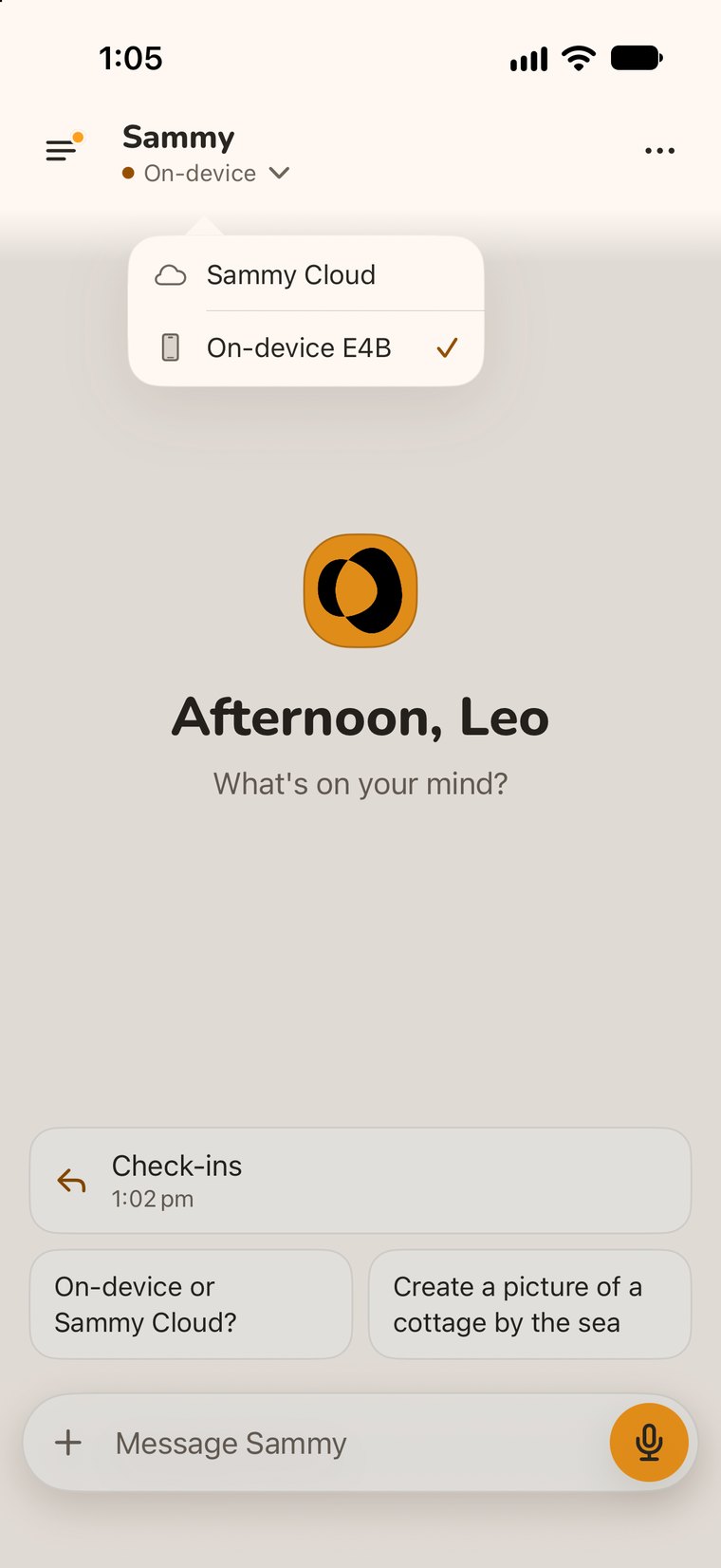
A new chat with Sammy, with the model menu open: Sammy Cloud, or On-device E4B, which is ticked
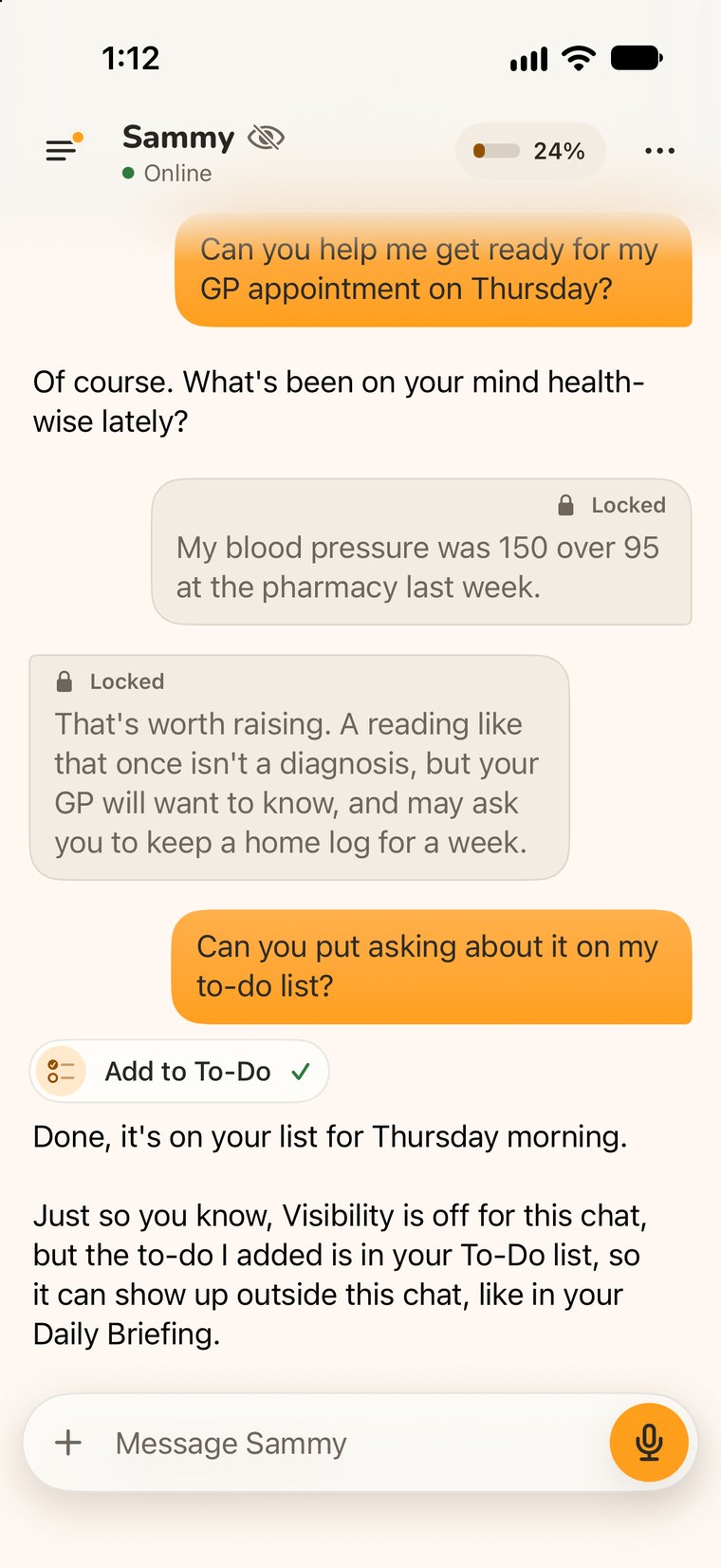
A chat with Visibility off, shown by an eye-slash by Sammy’s name: two messages are marked Locked, and Sammy notes the to-do it added can still show in the To-Do list and Daily Briefing

Switch to the on-device model, or turn off a chat’s Visibility to keep it out of Sammy’s memory and your other chats.

Pricing

Find the Sammy that fits.

Free

Private by design. Yours to use.

Free
  • Limited Sammy Cloud usage
  • Unlimited on-device chat with Google’s Gemma
  • Advanced memory
  • Document and image analysis
  • Voice note recognition (on-device)
  • Appointment mode
Join the waitlist
Best place to start

Core

The everyday Sammy experience.

A$14.99/mo
  • Everything in Free
  • A bigger Sammy Cloud allowance
  • Web search with cited sources
  • Document and image generation
  • Voice chat
  • Keeping tabs on topics you follow
  • Meal planning with Sammy
Join the waitlist
Full experience

Premium

The full consumer Sammy experience.

A$29.99/mo
  • Everything in Core
  • Meaningfully higher usage
  • Ask a specialist, powered by Claude
  • Real Word, Excel and PowerPoint files
  • Multi-step task handling
  • Socials coach
  • Appointment mode +
Join the waitlist

All prices in Australian Dollars. Cancel anytime. No hidden fees.

Compare all features across plans
FeatureFreeCorePremium
Intelligence
On-device model
Sammy Cloud
Limited
Specialists
Cloud usage allowance
LimitedStandardHigher
Capabilities
Advanced memory
Voice note recognition (on-device)
Document and image analysis
Custom skills
Read email, calendar and contacts
Recipes, pantry and meal planner
Appointment mode
Web search
Limited
Document and image generation
Daily briefing
Voice chat
Meal planning with Sammy
Keeping tabs
More
Appointment mode +
Ask a specialist
Word, Excel and PowerPoint files
Socials coach
Multi-step task handling
Answers

Got questions?

The big questions, answered clearly.

ChatGPT and Claude are remarkable when you want to ask a question. Sammy is built for the rest of your day. It remembers what matters to you, helps proactively instead of only when asked, works with your calendar and email (with your permission), can be talked to by voice, and can run privately on your phone. Similar underlying intelligence, a very different job.

Sammy starts free: limited Sammy Cloud usage, plus the on-device model on supported iPhones, voice notes, to-dos, shopping lists, recipes and more on your phone at no cost. Core gives you a much bigger Sammy Cloud allowance for faster, more capable everyday help, with voice chat, the Daily Briefing, Keeping Tabs and meal planning with Sammy. Premium adds the full experience, including specialists, real Word, Excel and PowerPoint files, and Appointment Mode +. Plans are simple monthly subscriptions in your local currency, and you can cancel anytime.

Privacy is the foundation, because Sammy holds real context about your life. Conversations live on your phone by default, not our servers. Before anything first goes to Sammy Cloud, Sammy explains what's sent and who processes it, and asks for your okay; you can switch Sammy Cloud sharing off again any time in Settings. Sammy Cloud gets only what's needed to answer you, our AI providers' terms only let them use it for that, and Sammy doesn't keep cloud conversations on its servers. Sammy can run entirely on-device whenever you choose, and we don't sell your data. You decide what Sammy learns from: turn off a chat's Visibility to keep it out of Sammy's memory and your other chats, or delete a chat along with what Sammy learned from it.

Yes. There are no settings to configure or prompt tricks to learn. Open the app, ask in plain English, and go. Sammy is capable enough for people who already use AI every day, and easy enough for people who've never touched it.

Sammy works on iPhone and iPad today, with an Apple Watch app included. Android is planned for 2027.

Yes, for a lot of things. Sammy can run an AI model directly on iPhones with about 8 GB of memory or more (a one-time download of about 6 GB), so it still answers with no signal, on a plane, or in a dead spot. A phone isn't a data centre, so the on-device model is smaller and a little less powerful than the cloud ones, but it's completely private and always available. It also improves over time, since every release ships the latest version. Cloud and specialist features need a connection.

The things that help Sammy help you: your preferences, the people in your life, and the ongoing threads you're working through, so you don't start from zero every conversation. Delete a chat along with what Sammy learned from it, or turn off a chat's Visibility to keep it out of Sammy's memory and your other chats (to-dos you add there still show in your list). Memory is stored on your device.

Invites are going out now, and everyone on the waitlist should have one within a month. Joining is free. Share your referral link with friends to unlock a free Core or Premium tier while early access runs.

See all questions

Still have questions?

Get in touch

Ready for a little more headspace?

Invites are going out now, and everyone on the waitlist should have one within a month.

Free to join. We’ll email your invite and the occasional update. Unsubscribe any time.